How Does 3D Product Rendering Work?
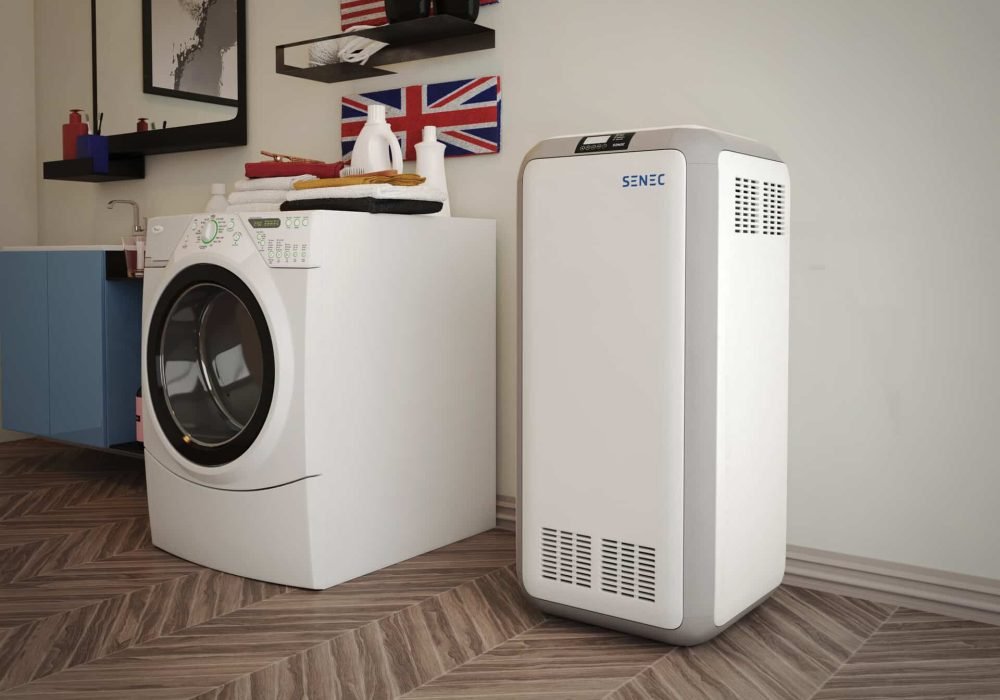
The process of 3D rendering of products involves several key steps:
- Modeling: This is the foundation, where a 3D model of the product is created using specialized software. It includes the product’s shape, size, and structure.
- Texturing: In this stage, the product is “wrapped” in textures that simulate real-world materials such as metals, plastics, or fabrics.
- Lighting: Lighting is added to the scene to replicate real-world conditions and to make the product look more lifelike. This includes shadows, highlights, and reflections.
- Rendering: This is the final step where the image or animation is processed. The software calculates all the visual elements (lighting, textures, and camera angles) to create a final product image or animation.
The beauty of 3D product renders is that once a product is created digitally, it can be modified, colored, and adjusted without additional costs, unlike traditional photography, where setting up new shoots can become expensive and time-consuming.
Benefits of 3D Product Rendering
1. Significant cost savings over traditional photography
A professional product photo shoot — photographer, studio rental, lighting, props, post-production — can easily run $500 to $5,000+ per session, and that’s before you account for reshoots when something changes. With 3D rendering, those costs collapse. Once your product’s 3D model exists, generating new angles, colorways, or scene setups costs a fraction of re-doing a shoot.
For brands managing large product catalogues or frequent design iterations, this adds up fast. Many e-commerce businesses report cutting their visual production costs by 40–70% after switching to 3D rendering.
2. Launch visuals before the product exists
With traditional photography, you need a finished, manufactured product before you can shoot it. 3D rendering flips this entirely. Marketing assets, Amazon listings, investor decks, and ad campaigns can all be built while the product is still in production — accelerating your go-to-market timeline by weeks or months.
This is especially valuable for crowdfunding campaigns, pre-order launches, and trade show materials where timing is everything.
3. Unlimited product variations — no extra cost

Need to show your product in 12 colorways? Six different materials? Three size variants? With a physical photo shoot, each variation means a new setup. With 3D rendering, changing a color or material texture is a few clicks. Every variation you need is generated from the same base model, at minimal extra cost.
This makes it ideal for product configurators, e-commerce filter pages, and any brand offering customization options.
4. Photorealistic quality that elevates your brand
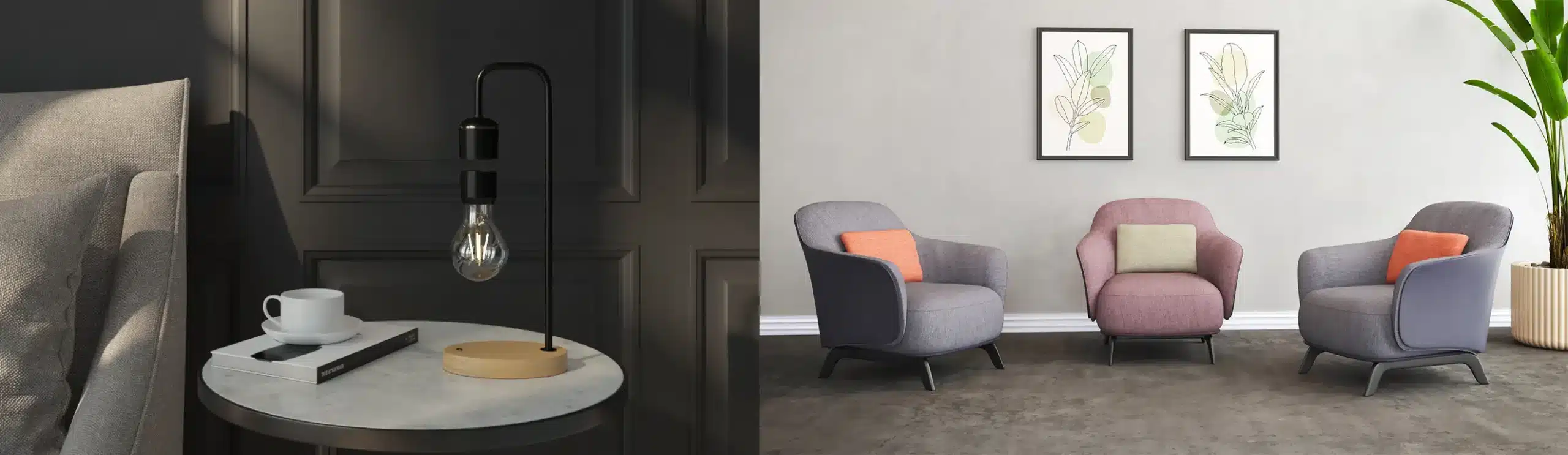
Modern 3D rendering produces images that are genuinely indistinguishable from photography — with complete control over lighting, shadows, reflections, and environment. You can place a product in a lifestyle setting that doesn’t exist yet, shoot it from an angle that’s physically impossible with a camera, or dial in a specific mood and color palette to match your brand exactly.
That level of control is simply not achievable on a photo set.
5. AR and interactive-ready assets
The same 3D model that produces your still renders can be repurposed for augmented reality experiences, 360° product spins, and interactive configurators — assets that are increasingly expected by online shoppers. According to Forbes, AR is rapidly becoming a standard part of next-generation marketing, with brands using it to let customers visualize products in their own space before buying.
Building on a 3D foundation means your visual assets have a much longer and broader useful life.
6. Easy, low-cost revisions
Products change. Colors get adjusted, logos get repositioned, materials get swapped. With photography, any change means a reshoot. With 3D, revisions are made in the model and new renders are generated — no scheduling, no studio, no shipping samples. This is particularly valuable during product development, when design changes are frequent and fast turnaround matters.
If you’re weighing whether this shift is worth it for your brand, our companion piece on why 3D product rendering matters for modern businesses breaks down the business case in detail.
Applications of 3D Product Rendering
E-commerce and online retail
For any brand selling products online, high-quality visuals are not optional — they are the product experience. 3D rendering gives e-commerce teams the ability to produce consistent, professional imagery across an entire catalogue, show every color and material variant, and create 360° spins or zoom-capable images that help customers feel confident before buying.
Platforms like Amazon, Shopify, and IKEA’s online store increasingly rely on 3D-rendered images precisely because they outperform photography at scale — faster to produce, easier to update, and perfectly consistent across thousands of SKUs.
Advertising and marketing campaigns
Whether it’s a hero image for a product launch, a social media campaign, or a digital ad, 3D rendering gives creative teams total control. Products can be placed in environments that don’t physically exist, lit to match a specific mood, or composited into scenes that would cost tens of thousands of dollars to build on set.
For fast-moving campaigns where visuals need to be turned around quickly and adapted for multiple formats and platforms, 3D production pipelines support marketing and sales far more efficiently than coordinating physical shoots.
Product design and prototyping
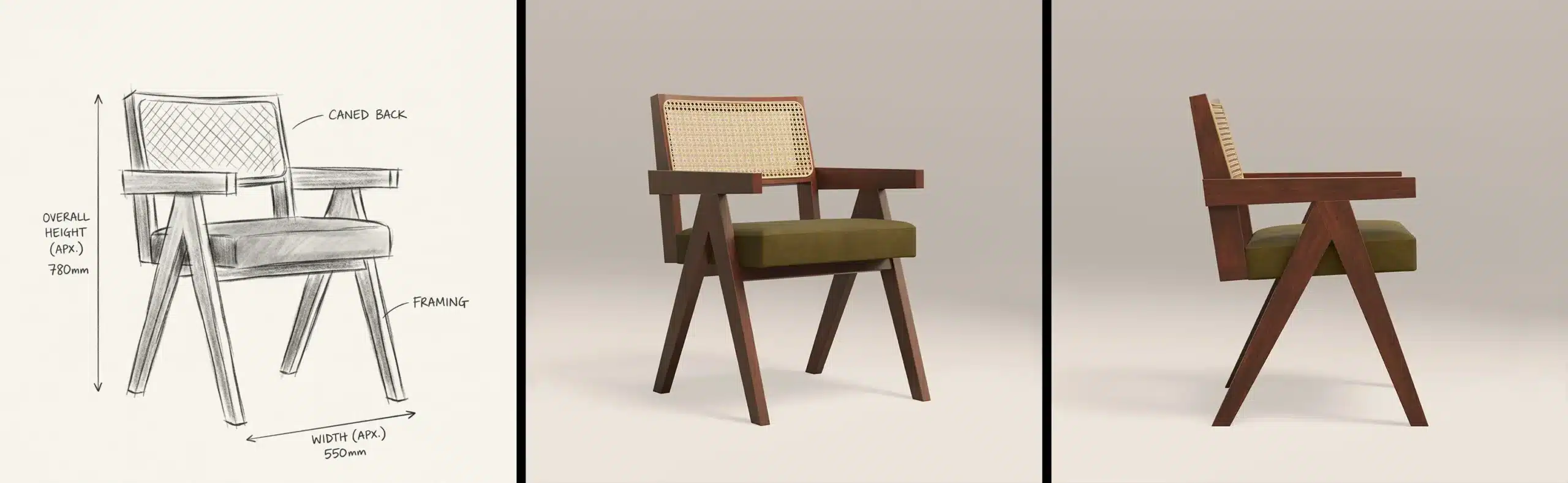
Before a single unit is manufactured, designers use 3D rendering to evaluate how a product looks in the real world — testing colorways, surface finishes, proportions, and material combinations. This eliminates the cost of producing multiple physical prototypes purely for visual assessment, and dramatically speeds up the design approval process.
Engineering and marketing teams can align on the final look of a product months before it’s physically possible to hold one.
Furniture, home decor, and interior applications
Furniture and home decor brands are among the heaviest users of 3D rendering — and for good reason. Showing a sofa in 14 fabric options, placed in three different room styles, at multiple angles, with realistic lighting and shadow, would require an enormous physical production effort. In 3D, it’s a workflow.
This is also where lifestyle rendering — showing products in a fully styled interior scene — adds significant conversion value, helping customers visualize how a piece will look in their own home.
Consumer electronics and tech products
Electronics are one of the best use cases for photorealistic 3D rendering. Complex materials — brushed aluminum, glossy plastic, tempered glass, soft-touch rubber — can be reproduced with extreme accuracy. Exploded views showing internal components, cutaway renders, and close-up detail shots of ports and finishes are all achievable without a physical sample.
For product launches, crowdfunding campaigns, and press kits, 3D gives electronics brands a professional edge at a fraction of traditional photography cost.
Packaging design
Before committing to a print run, brands use 3D rendering to visualize packaging in realistic environments — seeing how a box, bottle, or bag looks on a shelf, in natural light, and next to other products. This catches design problems early and allows rapid iteration, saving money on pre-press corrections and physical mockups.
Augmented reality and interactive experiences
The 3D assets built for still renders are the same assets that power AR experiences, product configurators, and virtual showrooms. Brands across furniture, fashion, automotive, and beauty are using AR to let customers see products in their own space — on their desk, in their living room, on their wrist — before purchasing.
Building your visual production pipeline on 3D means you’re always one step away from an interactive experience, not starting from scratch.
Understanding the Cost of 3D Product Rendering
How much does 3D product rendering cost? It’s one of the most common questions — and the honest answer is: it depends. But “it depends” without context isn’t useful, so here’s a practical breakdown of what actually drives pricing and what you can realistically expect to pay.
Typical price ranges by project type
| Render type | Complexity | Typical price range |
|---|---|---|
| Simple silo render | Basic product, clean background | $50 – $150 per image |
| Mid-complexity product | Multiple materials, detailed geometry | $200 – $500 per image |
| Lifestyle / scene render | Product in styled environment | $400 – $1,200 per image |
| Hero / campaign render | High-end, art-directed output | $800 – $2,500+ per image |
| 360° spin (24–36 frames) | Full rotation sequence | $300 – $900 per sequence |
| Product animation (5–15 sec) | Motion, camera moves | $500 – $3,000+ |
These are market-level estimates. Studios like 4dviz offer package pricing that brings per-image costs down significantly when you’re rendering multiple products or variants from the same model.
What drives the cost up
Several factors push a project toward the higher end of the range:
- Model complexity — a simple geometric product like a box or bottle costs less to model than a mechanical device, a piece of furniture with intricate joinery, or a garment with realistic fabric draping.
- Number of materials and textures — each distinct surface finish (brushed metal, matte rubber, transparent glass, embossed leather) adds modeling and texturing time.
- Scene and environment — a plain white silo background is the fastest to produce. A fully styled lifestyle scene with props, architecture, and custom lighting takes significantly longer.
- Number of variations — additional colorways and material swaps after the base model is built are relatively affordable, but they still add time.
- Turnaround speed — rush projects typically carry a premium of 20–50% depending on the studio.
- Animation and motion — anything that moves — rotating products, exploded views, liquid pours, assembly sequences — involves considerably more work than stills.
What’s included in a typical quote
When you commission a professional studio, a quote typically covers: initial 3D modeling from your reference files, texturing and material setup, lighting and scene setup, a set number of render angles, and a round of revisions. Clarify upfront how many revision rounds are included and what counts as a revision versus a new request.
Is it worth it compared to photography?
For a single product with no variants and no anticipated changes, traditional photography can be competitive on cost. But the moment you add variants, need updates, or want to repurpose the asset for AR or interactive use — 3D rendering pays for itself quickly. Most brands find that the break-even point comes at around 3–5 product variants or after the first significant product update.
3D rendering vs. product photography
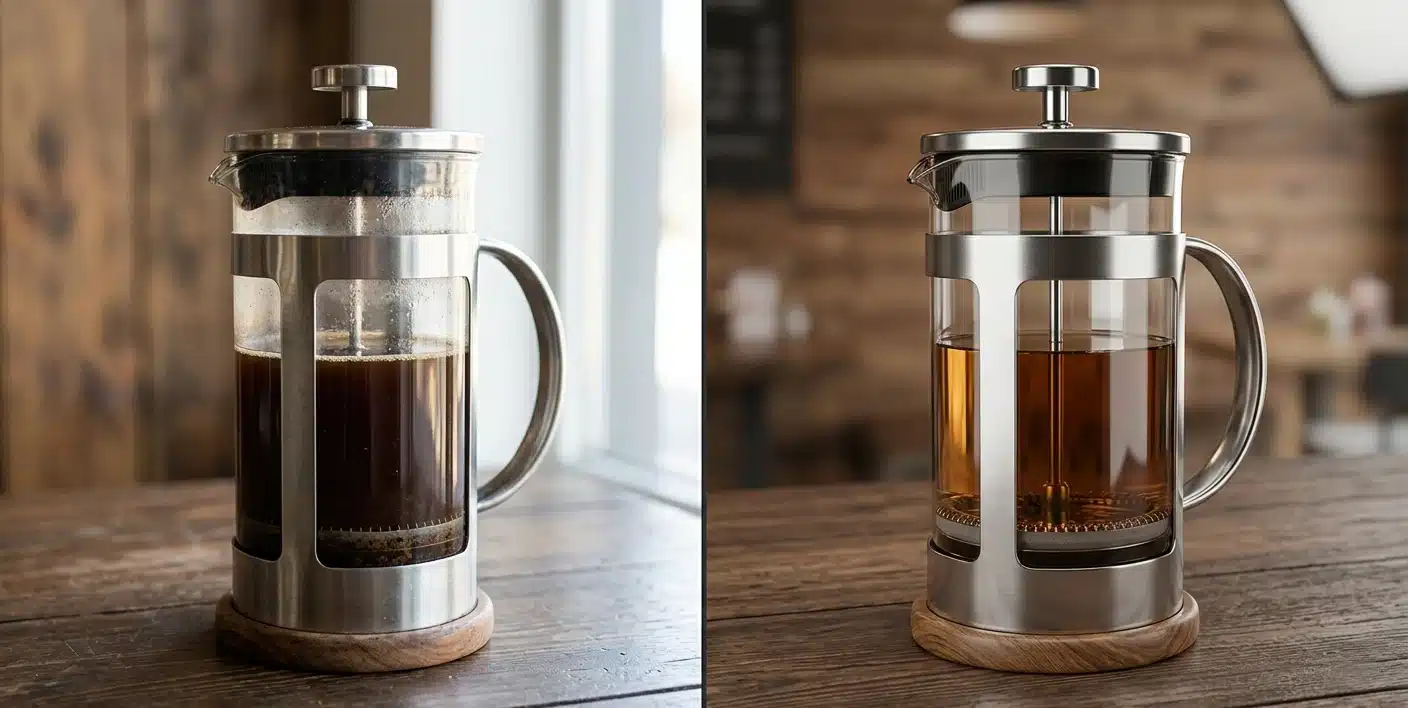
The two aren’t strictly competing options — they solve different problems, and the right choice depends on your product line and how often it changes.
Photography wins when you have a single finished product, no variants, and no plans to update the visuals. There’s no modeling cost, and a same-day shoot can be cheaper than commissioning a 3D model from scratch.
3D rendering wins as soon as you add variants, need to launch before the physical product exists, or expect to revise the design. The break-even point is typically 3–5 variants or the first design revision — past that, a physical reshoot costs more than updating a 3D model.
Many brands run a hybrid approach: photography for hero shots of a flagship product, rendering for the long tail of colorways, configurations, and seasonal updates. The two also differ in what they can produce — a photo shoot can’t generate an exploded view, an AR-ready asset, or a scene that doesn’t physically exist yet, all of which come standard with a 3D pipeline.
For a full side-by-side breakdown, see 3D Rendering vs. Traditional Photography.
Types of 3D product renders
Not all renders serve the same purpose, and picking the wrong type for your use case is one of the more common ways brands waste budget.
- Silo renders — the product isolated on a plain or white background. The standard for e-commerce listings and catalogs, and the fastest and cheapest type to produce.
- Lifestyle renders — the product placed in a styled scene or environment. These build emotional connection and help customers judge scale and fit, at the cost of more setup time than a silo render.
- 360° spins — a sequence of rendered frames stitched into a rotating view. Useful anywhere shoppers expect to inspect a product from every angle before buying.
- Exploded views — the product broken into its components with spatial relationships preserved. Common in manuals, assembly instructions, and technical marketing for complex products.
- AR-ready models — the same 3D asset optimized for use in augmented reality apps, letting customers place the product in their own space through their phone.
Most brands end up using two or three of these types across a single product’s lifecycle rather than picking just one. For a deeper look at how to choose between them, see Types of 3D Product Renders: Which One Do You Need?
Software Used in 3D Product Rendering
The software matters less than the studio’s skill with it, but it’s useful to know what’s behind the images you’re commissioning.
At 4dviz, our pipeline is built on 3ds Max for modeling, V-Ray and Corona for rendering, and Photoshop for post-production — a combination chosen for reliability on photorealistic product work rather than speed of iteration. Other studios lean on different tools depending on their specialty:
- Blender — free and increasingly capable, popular with smaller studios and freelancers
- Maya — strong for organic and character-driven modeling, common in film and animation crossover work
- Cinema 4D with Redshift — a common choice for motion and animation-heavy product work
- KeyShot — built for speed, popular for quick material and lighting iteration on simpler products
None of these produce meaningfully different results in the hands of a skilled artist. When evaluating a studio, ask what they use and why — a studio that can explain the tradeoff, rather than just naming a tool, is usually the safer bet.
How to choose a 3D rendering studio
Not all 3D rendering studios deliver the same quality, reliability, or value. Before you commit to a studio, here’s what to evaluate:
Portfolio quality and range
Look beyond the headline images. Does the portfolio show products similar to yours in terms of complexity and material type? A studio that excels at furniture renders may not have the same strength with transparent glass products or intricate electronics. Ask to see examples that match your specific use case.
Turnaround time
Ask upfront what a realistic timeline looks like for your project size. A simple silo render might be delivered in 2–3 days; a full lifestyle scene or animation could take 1–2 weeks. Make sure the studio’s pace fits your launch schedule, and clarify whether rush delivery is available and at what cost.
Revision policy
Revisions are normal — you should expect at least one or two rounds before a render is finalized. Clarify how many revision rounds are included in the quote, what counts as a revision versus a new request, and what happens if you need changes after the project is closed.
File delivery and formats
Confirm what file formats you’ll receive. For e-commerce, you typically need high-resolution JPGs or PNGs. For AR or interactive use, you may need USDZ or GLB files. If you want to repurpose the 3D model itself in the future, ask whether the source file is included or available at an additional cost.
Communication and process
A good studio will ask you detailed questions before starting — about your brand, your target audience, the platform the renders will appear on, and any reference images you have. If a studio jumps straight to pricing without understanding the brief, that’s a warning sign. Clear communication upfront prevents expensive misunderstandings later.
Pricing transparency
Avoid studios that won’t give you a clear, itemized quote. You should know exactly what’s included: number of renders, angles, revision rounds, and any additional costs for modeling, animation, or rush delivery.
At 4dviz, we walk every client through a detailed brief before quoting — so you know exactly what you’re getting, and we know exactly what you need. See our pricing
How Long Does 3D Product Rendering Take?
Turnaround depends less on the type of render you want and more on how complicated the product itself is to build. Here’s a general guide by product complexity:
| Product complexity | Examples | Modeling time | Typical delivery (single render) |
|---|---|---|---|
| Simple | Bottles, boxes, basic hardware | Half a day to 1 day | 2–3 days |
| Moderate | Furniture, cookware, bags | 1–3 days | 4–6 days |
| Complex | Footwear, watches, small electronics | 3–7 days | 7–10 days |
| Highly complex | Apparel, machinery, multi-part assemblies | 1–3 weeks | 2–4 weeks |
These numbers assume the modeling is being done from scratch. If you already have a usable 3D model, delivery times drop significantly since the studio is only handling texturing, lighting, and rendering. Multiple angles, colorways, or scene variations add time on top of these baselines, though far less than building each one from zero — see the cost breakdown above for how that scales.
Conclusion
3D product rendering has become a powerful tool for businesses, designers, and marketers. By allowing for photorealistic 3D product rendering, companies can showcase their products in a way that traditional photography simply cannot match. From product visualization to marketing, the applications are endless. The cost-saving benefits, faster time-to-market, and ability to create detailed, customizable visuals make 3D rendering of products an invaluable asset for businesses of all sizes.
If you want to enhance your product’s presentation, improve customer engagement, and streamline your design and marketing processes, following a comprehensive 3D product rendering guide is a smart step. Investing in professional product 3D rendering services can deliver tangible results and long-term value for your brand.