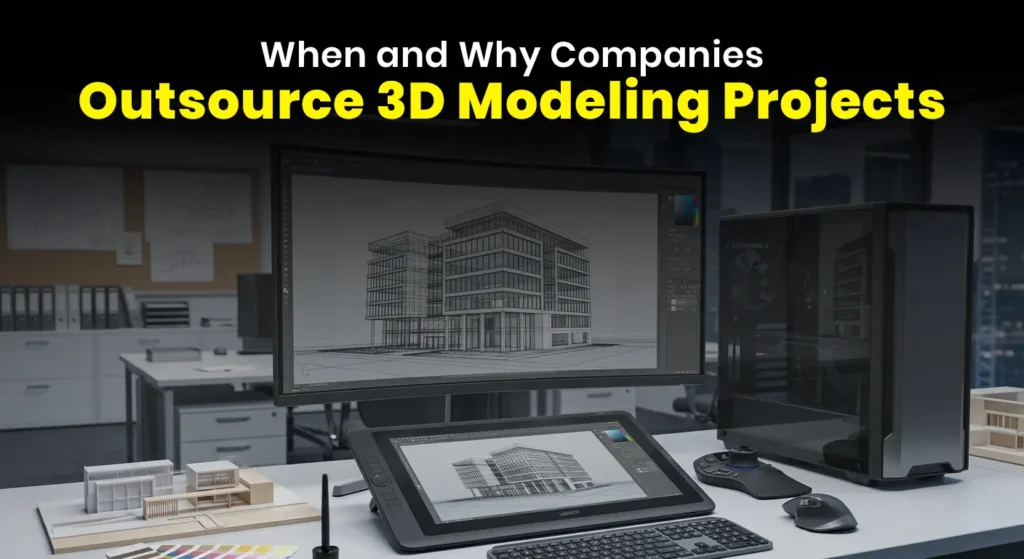
Interior design rendering software has revolutionized the way interior designers, architects, and homeowners visualize their ideas. Gone are the days of relying solely on sketches and mood boards. Today, technology allows you to create photorealistic 3D representations of interior spaces with ease, making the design process more efficient and enjoyable. Whether you’re a professional or a DIY enthusiast, choosing the right rendering software can significantly impact the quality of your work.
In this blog, we will explore the best free and paid interior design rendering software, including advanced tools powered by artificial intelligence (AI), to help you make an informed decision in 2025.
What is Interior Design Rendering Software?
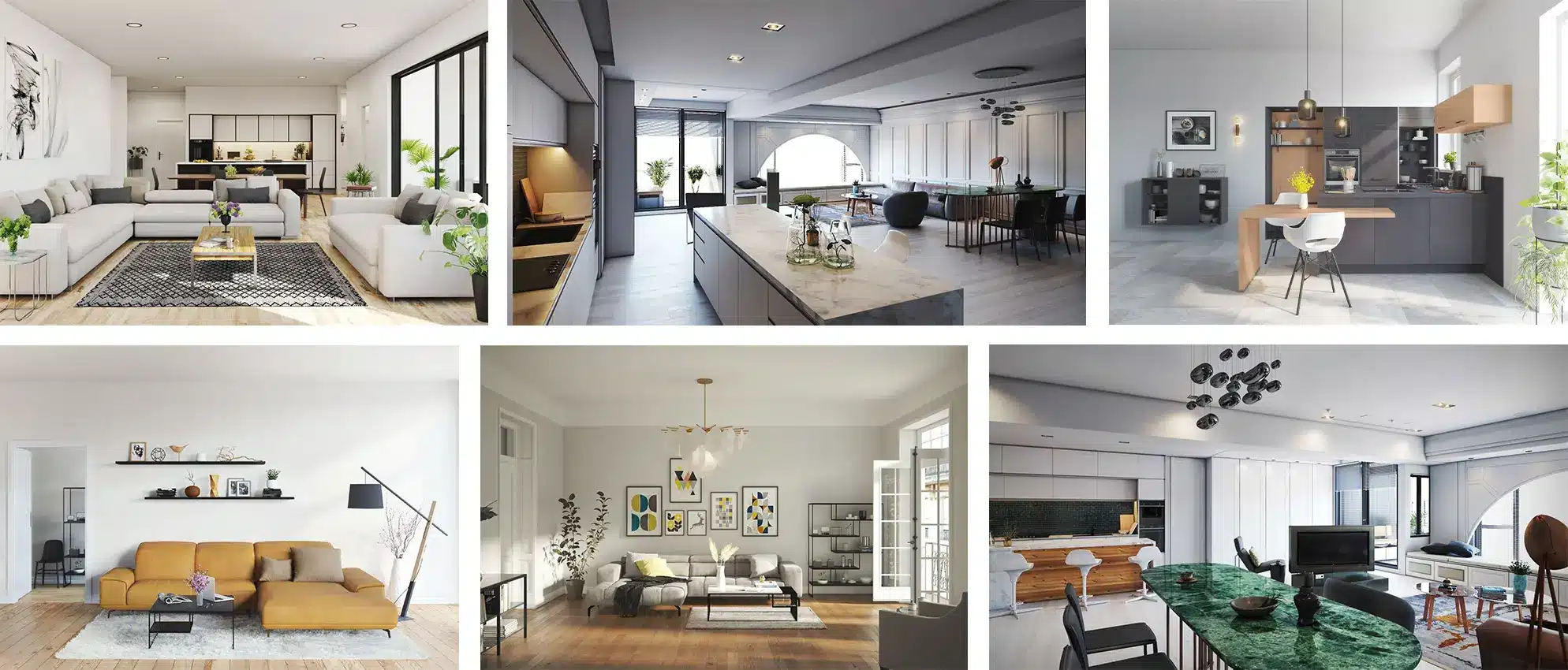
Interior design rendering software allows users to create 3D models of interior spaces. It is used to simulate how a design will look in the real world, allowing designers and clients to visualize furniture, color schemes, textures, and spatial configurations before committing to physical changes. The software can generate realistic images, often referred to as “renderings,” of a space, which can be used for presentations, marketing, or simply to visualize potential changes.
As the demand for high-quality renders has grown, so has the number of software options available—ranging from beginner-friendly, free apps to advanced, professional tools. These programs use cutting-edge technology like AI and real-time rendering to give users more control over their designs.
Essential Features to Look for in Interior Design Rendering Software
When selecting the right rendering software, it’s important to consider the following key features:
- Realistic Visualizations
The ability to create lifelike renderings is crucial for presenting your ideas to clients or stakeholders. Look for software with high-quality textures, realistic lighting, and shadow effects that mimic the real world. - Ease of Use
Whether you’re a beginner or a professional, the interface should be intuitive. The easier it is to navigate, the faster you can focus on designing rather than struggling with the software. - Customization Options
The more customizable the software, the better. You should be able to select and modify materials, textures, and furniture to suit your specific design vision. - 3D Modeling Tools
Detailed 3D modeling is essential for accurately representing spaces. Ensure the software includes tools for creating and modifying 3D objects, walls, windows, and other elements. - Integration with Other Design Tools
Many interior designers use a combination of software, so the ability to import/export designs between different tools is important. - Cost and Pricing Models
Rendering software comes in various pricing models, from free versions with limited features to full premium subscriptions with extensive capabilities. Choose based on your needs and budget.
Top Free Interior Design Rendering Software
1. Planner 5D
Planner 5D is a versatile design tool that allows users to create floor plans and 3D visualizations with ease. It’s suitable for both beginners and experienced designers.
- Key Features:
- Drag-and-drop interface for simple design creation.
- 2D and 3D floor planning with virtual tours.
- Large library of furniture and decor items.
- Pros:
- Free version available.
- Cloud-based design sharing and collaboration.
- Simple to use, even for those with no design experience.
- Cons:
- Limited features in the free version.
- Advanced design options require a paid plan.
Best for: Beginners and DIY enthusiasts who need quick and easy designs without advanced technical skills.
2. Roomstyler 3D Home Planner
Roomstyler is an online platform that allows users to create 3D room designs. You can easily drag and drop furniture and decor elements into your design, making it a good choice for interior decorating enthusiasts.
- Key Features:
- Create 3D designs and layouts with a simple drag-and-drop tool.
- Access to a large catalog of furniture and decoration items.
- Option to see designs in 3D view and walk-through.
- Pros:
- Free to use, with no need to download software.
- Large furniture library for customization.
- Easy to share designs with others.
- Cons:
- Lower-quality renders compared to professional software.
- No advanced tools for custom textures or materials.
Best for: DIY decorators and homeowners who want to experiment with simple room layouts and designs.
3. SketchUp Free
SketchUp Free is a cloud-based 3D modeling tool that is popular among professionals and hobbyists alike. Although it’s more commonly used for architecture, it’s versatile enough for interior design.
- Key Features:
- Advanced 3D modeling with a wide range of tools.
- Google Earth integration for location-based design.
- Access to an extensive library of pre-made models.
- Pros:
- Free version available with strong modeling tools.
- Extensive library of user-generated models.
- Easy to use and versatile.
- Cons:
- Limited rendering quality in the free version.
- Requires internet connection for cloud-based use.
Best for: Users who need robust 3D modeling tools but can work with basic rendering capabilities.
Top Paid Interior Design Rendering Software
1. AutoCAD Architecture
AutoCAD Architecture is a powerful tool widely used in the architectural and design industries. It provides precise drawing tools, detailed 3D rendering, and building information modeling (BIM) capabilities.
- Key Features:
- Professional-level drawing and modeling tools.
- Advanced 3D rendering and visualization features.
- BIM integration for accurate designs.
- Pros:
- Comprehensive set of features for professional designers.
- Industry-standard software trusted by architects.
- Great for large-scale projects with complex requirements.
- Cons:
- High cost, with expensive subscription fees.
- Steep learning curve for beginners.
Best for: Professional architects and interior designers working on large-scale commercial or residential projects.
2. 3ds Max (Autodesk)
Autodesk 3ds Max is known for its high-end 3D modeling and rendering capabilities, including the ability to generate photorealistic textures, shadows, and lighting effects. It’s ideal for creating sophisticated interior design visualizations.
- Key Features:
- Advanced rendering features with VRay integration.
- Highly detailed materials and textures.
- Support for animation and visual effects.
- Pros:
- Exceptional rendering quality for photorealistic designs.
- Extensive library of materials and textures.
- Powerful animation tools.
- Cons:
- Expensive with a high initial cost.
- Requires powerful hardware for smooth operation.
Best for: High-end interior designers and visual artists looking for photorealistic renderings.
3. Lumion
Lumion is a real-time 3D rendering software that focuses on ease of use and speed. It’s ideal for interior designers who need to produce high-quality renderings quickly for client presentations.
- Key Features:
- Fast, real-time rendering.
- Extensive library of 3D objects and materials.
- Impressive lighting and environmental effects.
- Pros:
- User-friendly with a simple drag-and-drop interface.
- Quick rendering for faster project turnaround.
- Real-time feedback as you make design changes.
- Cons:
- Expensive with a subscription model.
- May be overkill for smaller projects.
Best for: Designers and architects who need fast, high-quality visualizations for client presentations.
4. Revit (Autodesk)
Revit is a comprehensive Building Information Modeling (BIM) software developed by Autodesk, widely used in architecture and interior design for its detailed modeling and documentation capabilities.
Key Features:
Advanced 3D modeling and parametric design tools.
Integrated documentation and scheduling.
Cloud-based collaboration for team projects.
High-quality rendering capabilities with Revit Cloud Rendering.
Pros:
Ideal for large-scale projects requiring detailed documentation.
Seamless integration with other Autodesk products.
Supports multi-user collaboration in real-time.
Cons:
Steep learning curve for beginners.
High system requirements.
Subscription-based pricing can be costly.
Best for: Architects and interior designers working on complex projects that require detailed modeling and documentation.
5. Chief Architect
Chief Architect is a professional home design software tailored for residential and light commercial design, offering powerful 3D visualization and modeling tools.
Key Features:
Automatic generation of 3D models from 2D plans.
Extensive library of materials and furnishings.
Real-time rendering and walkthrough capabilities.
Detailed construction documentation generation.
Pros:
User-friendly interface suitable for both professionals and enthusiasts.
Comprehensive tools for both design and documentation.
Regular updates and support.
Cons:
Primarily focused on residential design; less suitable for large-scale commercial projects.
May require additional plugins for advanced features.
Best for: Interior designers and architects specializing in residential projects.
6. Unreal Engine
Unreal Engine, developed by Epic Games, is a powerful real-time 3D creation platform used for creating photorealistic interior visualizations and virtual reality experiences.
Key Features:
Advanced rendering capabilities with real-time global illumination.
Support for virtual reality and interactive walkthroughs.
Extensive asset library and marketplace.
Blueprint scripting for interactive elements.
Pros:
High-quality, photorealistic visuals.
Free to use with optional paid assets.
Suitable for both still renders and interactive experiences.
Cons:
Requires significant hardware resources.
Steep learning curve for beginners.
Primarily geared towards game development; may require additional setup for architectural visualization.
Best for: Interior designers and architects looking to create immersive, interactive visualizations.
AI-Powered Interior Design Rendering Software
AI-powered tools are becoming increasingly popular for their ability to automate and speed up the design process. These tools use machine learning and AI algorithms to generate design suggestions and renderings based on user input.
1. Spacely AI
Spacely AI offers AI-powered interior design rendering that allows users to upload photos, select a style, and get photorealistic renders almost instantly. It’s perfect for realtors or designers who need quick visualizations.
- Pros: Fast, high-quality renders, easy to use.
- Cons: Limited customization options in the free version.
2. MyArchitectAI
MyArchitectAI uses AI to turn simple sketches or CAD models into photorealistic renders within seconds. The AI also offers automatic suggestions for textures and furniture placement.
- Pros: Quick results, cloud-based for easy access.
- Cons: Limited free renders, subscription required for premium features.
3. RoomGPT
RoomGPT uses AI to redesign rooms based on uploaded images. You simply upload a photo of your room, select a style, and let the AI suggest design options.
- Pros: Free, user-friendly, and quick output.
- Cons: Watermarked images and low-resolution renders.
4. REimagineHome
REimagineHome is an AI-powered platform that caters to interior designers, realtors, and marketers by offering virtual staging, landscaping, and interior designing features.
- Pros: Fast, intuitive, and ideal for staging and remodeling.
- Cons: Limited to specific use cases, paid subscription for full features.
Free vs Paid Interior Design Rendering Software: What’s the Difference?
- Free Software: Ideal for beginners or casual users, free tools are simple, easy to use, and perfect for small projects or personal use. However, they often have limitations in terms of features, customization, and rendering quality.
- Paid Software: Paid tools offer advanced features like photorealistic rendering, 3D modeling, and BIM integration. They’re perfect for professional designers who need high-quality, customizable visualizations but come with a higher price tag.
Conclusion
Choosing the right interior design rendering software is crucial for turning your creative ideas into realistic visualizations. Whether you’re a professional or a beginner, there are free and paid tools available to fit your needs and budget. Free options like Planner 5D and SketchUp are great for starters, while paid tools like AutoCAD Architecture and 3ds Max offer comprehensive features for advanced projects. AI-powered software like InstantInterior and Spacely AI also provide quick and easy solutions for stunning renders without the steep learning curve.
By understanding your needs and goals, you can choose the perfect software to bring your designs to life.