In today’s visually driven digital world, businesses rely heavily on high-quality 3D visuals to communicate product value, demonstrate designs, and create immersive marketing experiences. From product visualization and architectural rendering to furniture marketing and CGI advertising, photorealistic visuals have become essential. Behind these visuals is a crucial professional: the 3D modeller.
Many people ask, “What does a 3D modeller do?” or “What is the role of a 3D modeller in a professional rendering studio?” The answer goes far beyond simply creating digital shapes. A professional 3D modeller is responsible for transforming concepts, sketches, CAD drawings, or references into accurate digital assets that can be rendered into photorealistic images and animations.
This article explains the responsibilities, workflow, tools, and importance of a 3D modeller in a professional rendering studio, helping businesses and aspiring artists understand how this role fits into modern CGI production.
What Does a 3D Modeller Do?
A 3D modeller is a digital artist who creates three-dimensional objects using specialized software. These objects can represent anything from products and furniture to buildings, vehicles, or interior environments.
The primary responsibility of a 3D modeller is 3D asset creation. They build the structure of objects in a digital space so that rendering artists can later apply materials, lighting, and textures to produce photorealistic visuals.
In a professional rendering studio, a 3D modeller works with:
- Product designers
- Rendering artists
- CGI specialists
- Marketing teams
- Architects or manufacturers
Their job is to ensure the digital model is accurate, clean, optimized, and ready for rendering.
For example, when a company needs product rendering for marketing, the modeller creates a precise 3D version of the product. This model then becomes the foundation for photorealistic rendering, animations, and interactive visualizations.
The Role of a 3D Modeller in a Professional Rendering Studio
Inside a professional rendering studio, the 3D modeller plays a central role in the CGI production pipeline.
Rendering studios typically follow a structured workflow that includes:
- Concept and reference analysis
- 3D modeling
- UV mapping and asset preparation
- Texturing and material creation
- Lighting and rendering
- Post-production
The modeller is responsible for the first technical stage of this pipeline: creating the digital geometry.
Without high-quality modeling, even the best lighting or rendering techniques cannot produce realistic visuals.
In professional environments, the modeller must ensure:
- Accurate proportions and measurements
- Clean topology and mesh structure
- Efficient polygon usage
- Rendering-ready geometry
This step is especially critical for industries like product visualization, architectural rendering, furniture visualization, and ecommerce product rendering.
Key Responsibilities of a 3D Modeller
When businesses ask “What tasks does a 3D modeller perform?”, the answer usually includes several core responsibilities.
1. Creating 3D Assets from References
A modeller begins by analyzing references such as:
- CAD files
- Product photos
- Technical drawings
- Concept sketches
- Dimensions and specifications
Using this information, the modeller constructs a digital 3D object that accurately represents the real product or design.
This process is often called 3D asset creation.
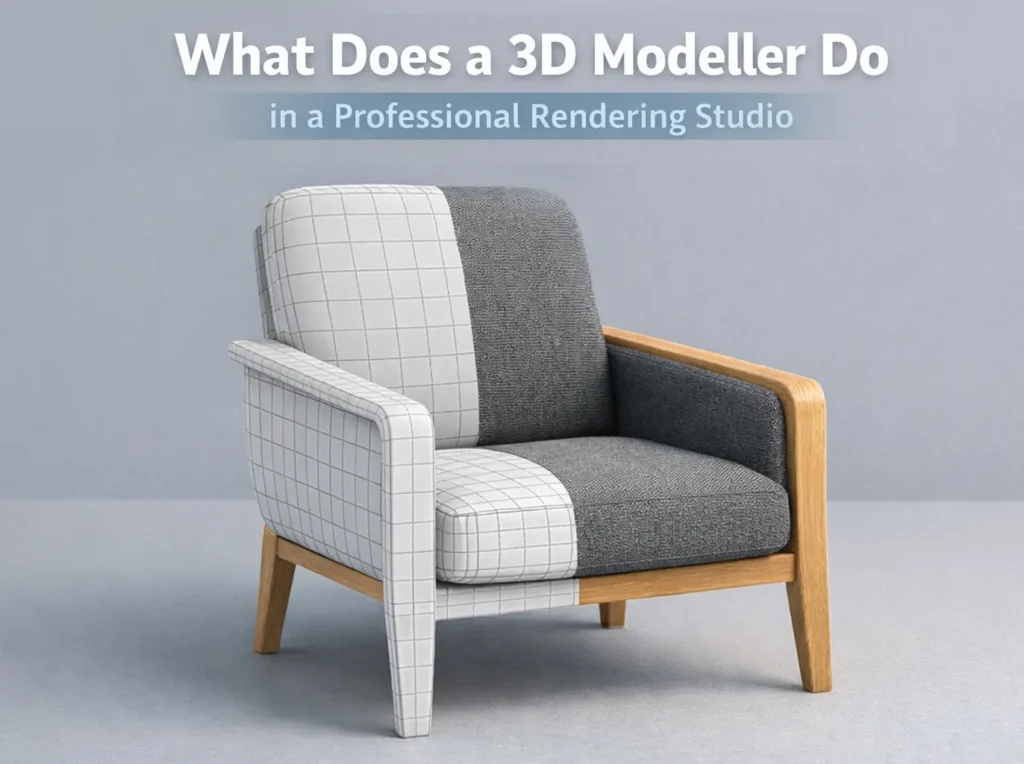
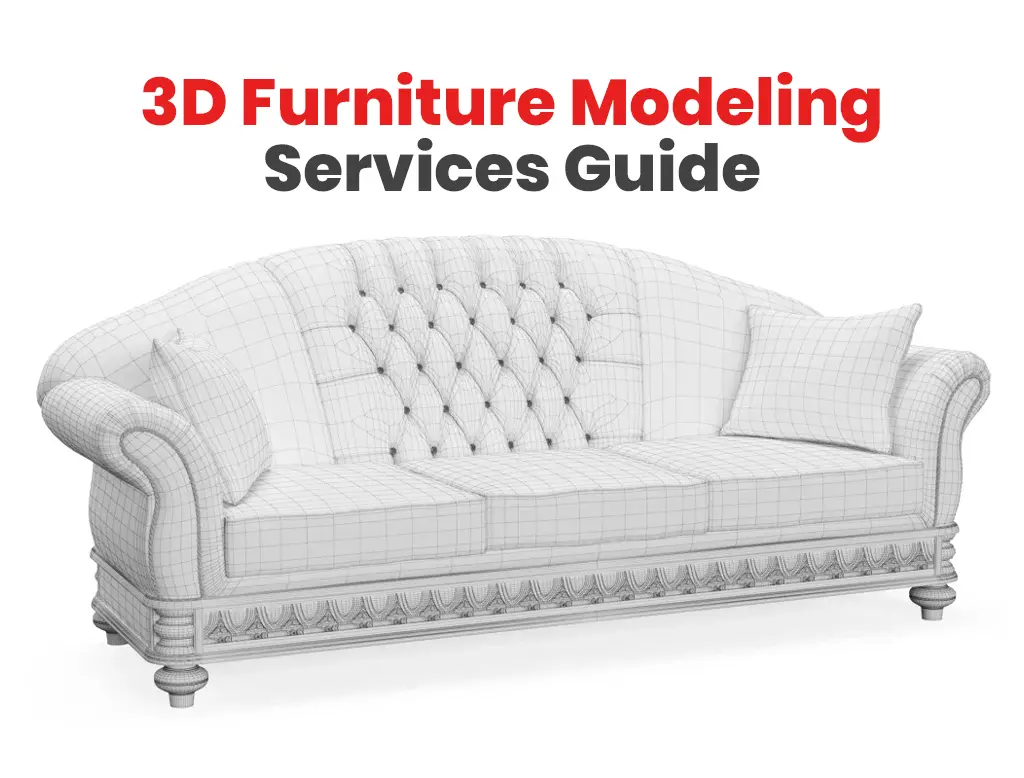
2. Building Clean and Efficient Geometry
Professional modeling is not just about shape; it’s about structure.
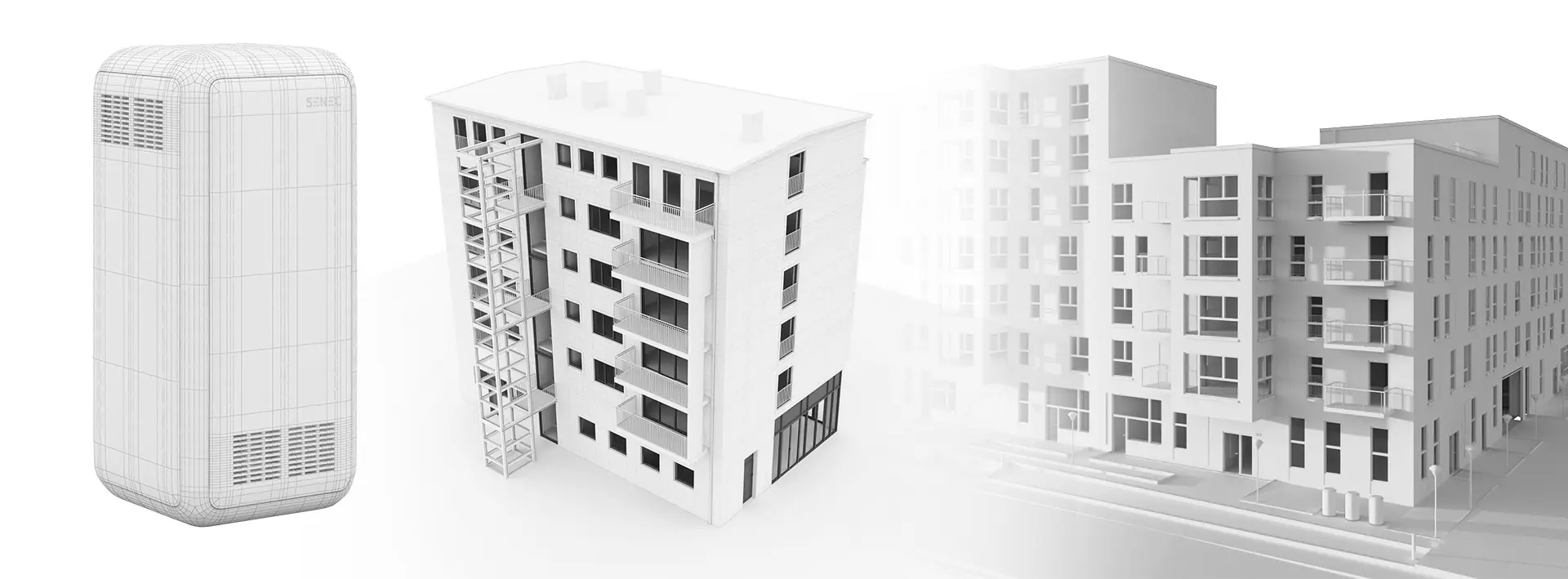
A 3D modeller must create clean mesh topology so that the model behaves correctly during rendering or animation.
Important aspects include:
- Edge flow
- Polygon optimization
- Avoiding unnecessary geometry
- Maintaining accurate scale
Good topology ensures the model can be easily textured, rendered, or animated later in the rendering pipeline.
3. Preparing Models for Rendering
Once the basic model is complete, the modeller prepares it for the next stage of production.
This includes:
- UV mapping
- Organizing model components
- Naming objects properly
- Optimizing geometry for rendering engines
UV mapping allows textures and materials to be applied correctly. Without proper UV mapping, textures may appear stretched or distorted.
Preparing rendering-ready 3D models is one of the most important steps in professional CGI workflows.
4. Collaboration with Rendering Artists
Many people ask: “What is the difference between a 3D modeller and a 3D renderer?”
A modeller creates the object, while a rendering artist focuses on lighting, materials, and final visualization.
In a professional rendering studio, these roles often collaborate closely.
The modeller provides:
- Accurate geometry
- Clean UV layouts
- Organized scene structure
The rendering artist then adds:
- Realistic materials
- Lighting setups
- Camera composition
- Photorealistic rendering
Together they create high-quality marketing visuals and product imagery.
The 3D Modeling Workflow in Rendering Studios
Understanding the 3D modeling workflow helps explain how professionals turn ideas into photorealistic visuals.
Step 1: Reference Collection
The process starts with gathering references such as:
- Product measurements
- Blueprints
- Images
- Design sketches
These references guide the modeling process and ensure accuracy.
Step 2: Base Modeling
The modeller creates the basic structure of the object using 3D modeling software.
Common techniques include:
- Polygon modeling
- Box modeling
- Subdivision modeling
- CAD-based modeling
At this stage, the focus is on shape, proportion, and structure.
Step 3: Detail Refinement
Once the base model is complete, the artist adds smaller details such as:
- Edges and bevels
- Surface details
- Small components
- Mechanical elements
These details help make the model look realistic and believable in renders.
Step 4: UV Mapping
Next, the model is unwrapped into a 2D UV layout.
UV mapping allows materials and textures to be applied accurately during rendering.
For example, wood grain on furniture or labels on product packaging must align properly.
Step 5: Optimization for Rendering
Finally, the model is optimized for performance and rendering efficiency.
This includes:
- Reducing unnecessary polygons
- Organizing scene hierarchy
- Ensuring scale accuracy
- Preparing assets for rendering engines
Once completed, the model moves to the texturing and rendering stage.
Software Used by Professional 3D Modellers
Another common question is “What software do professional 3D modellers use?”
Professional rendering studios typically rely on industry-standard tools such as:
Blender
A powerful open-source tool widely used for modeling, rendering, and animation.
Autodesk 3ds Max
Popular in architectural visualization and product rendering studios.
Autodesk Maya
Often used in film, animation, and game production.
ZBrush
Used for highly detailed sculpting and complex surface modeling.
Cinema 4D
Common in motion graphics and advertising visualization.
For materials and textures, artists often use tools like Substance Painter.
These tools help artists create high-quality 3D assets ready for photorealistic rendering.
Industries That Use 3D Modeling
3D modeling is used across many industries where visual communication and design visualization are important.
Common industries include:
Product Design and Manufacturing
Companies create 3D models of products before manufacturing to visualize designs and marketing materials.
Furniture and Interior Design
Brands use furniture visualization and lifestyle rendering to showcase products in realistic environments.
Architecture and Real Estate
Architects use architectural visualization to present buildings before construction.
Ecommerce and Marketing
Online retailers rely on ecommerce product rendering to produce consistent and scalable product images.
Advertising and Media
Creative agencies use CGI models to create marketing visuals and digital campaigns.
These industries depend on skilled 3D modellers to build accurate digital assets.
Skills Required to Become a 3D Modeller
To succeed in this field, professionals must develop a combination of technical and artistic skills.
Important skills include:
3D Modeling Techniques
Understanding geometry, topology, and digital sculpting.
Attention to Detail
Even small modeling errors can affect rendering quality.
Software Proficiency
Artists must master tools such as Blender, Maya, or 3ds Max.
Understanding of Real-World Objects
Knowledge of how products, materials, and structures work in reality improves modeling accuracy.
Problem Solving
Professional projects often require adapting models to meet technical and visual requirements.
For aspiring artists—especially if you want to become a professional 3D artist in the future—developing these skills is essential.
Explore 3D modeling career opportunities at our studio.
Why Businesses Hire Professional 3D Modellers
Businesses increasingly rely on professional 3D modeling services because digital visualization offers major advantages.
Faster Marketing Production
Products can be rendered before manufacturing.
Cost Savings
Companies can reduce the need for physical prototypes and photoshoots.
Consistent Visual Content
3D models allow brands to create consistent images across catalogs, ecommerce platforms, and advertisements.
Flexible Visualization
The same model can be used for multiple scenes, lighting setups, or marketing campaigns.
Because of these advantages, professional rendering studios continue to grow across industries.
Conclusion
So, what does a 3D modeller do in a professional rendering studio?
A 3D modeller is responsible for building the digital foundation of photorealistic visualizations. They transform ideas, sketches, and product designs into accurate 3D assets that can be rendered into stunning visuals for marketing, design presentations, and product visualization.
From creating detailed models and optimizing geometry to preparing assets for rendering, the modeller plays a critical role in the CGI production pipeline.
As industries increasingly adopt 3D visualization, CGI marketing, and digital product presentation, the demand for skilled 3D modellers continues to grow.
For businesses, hiring professional modeling services ensures high-quality rendering results and scalable visual content. For aspiring artists, mastering 3D modeling can open the door to exciting careers in design, visualization, gaming, and digital media.